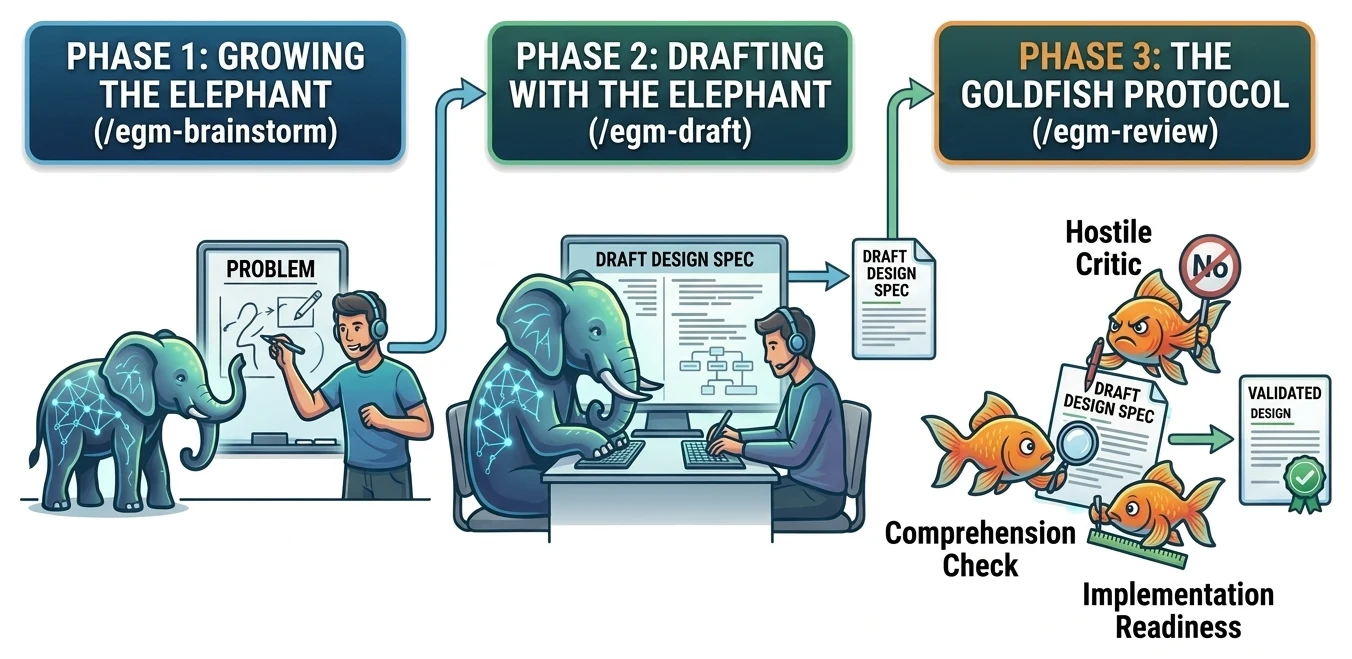
GitHub Copilot makes AI-assisted permission checks generally available
Copilot can delegate eligible permission decisions to a model across three developer interfaces. Automation flags, session limits and conflicting enterprise guidance shape its use.
In this article
- Quick answers
- Copilot adds a model to permission decisions
- Session settings determine where it applies
- Unattended work has a different stopping point
- Enterprise documentation leaves an approval question open
- Access and usage costs remain part of the decision
- Approval and isolation serve different purposes
- Sources & method
Quick answers
Where is assisted permissions available?
GitHub names Copilot CLI, the Copilot app and VS Code. The app's controls apply to local sessions; remote support depends on the host.
Does the model guarantee safe execution?
No. GitHub warns that it can approve dangerous or unintended actions; sandboxing and access restrictions remain separate protections.
What happens when an unattended request needs a person?
The request is denied. When the safety review requires approval, its explanation goes back to Copilot so it can try another approach.
The practical takeaway
Assisted permissions delegates some approval decisions, with consequential limits for unattended work and unresolved enterprise guidance.
Copilot adds a model to permission decisions
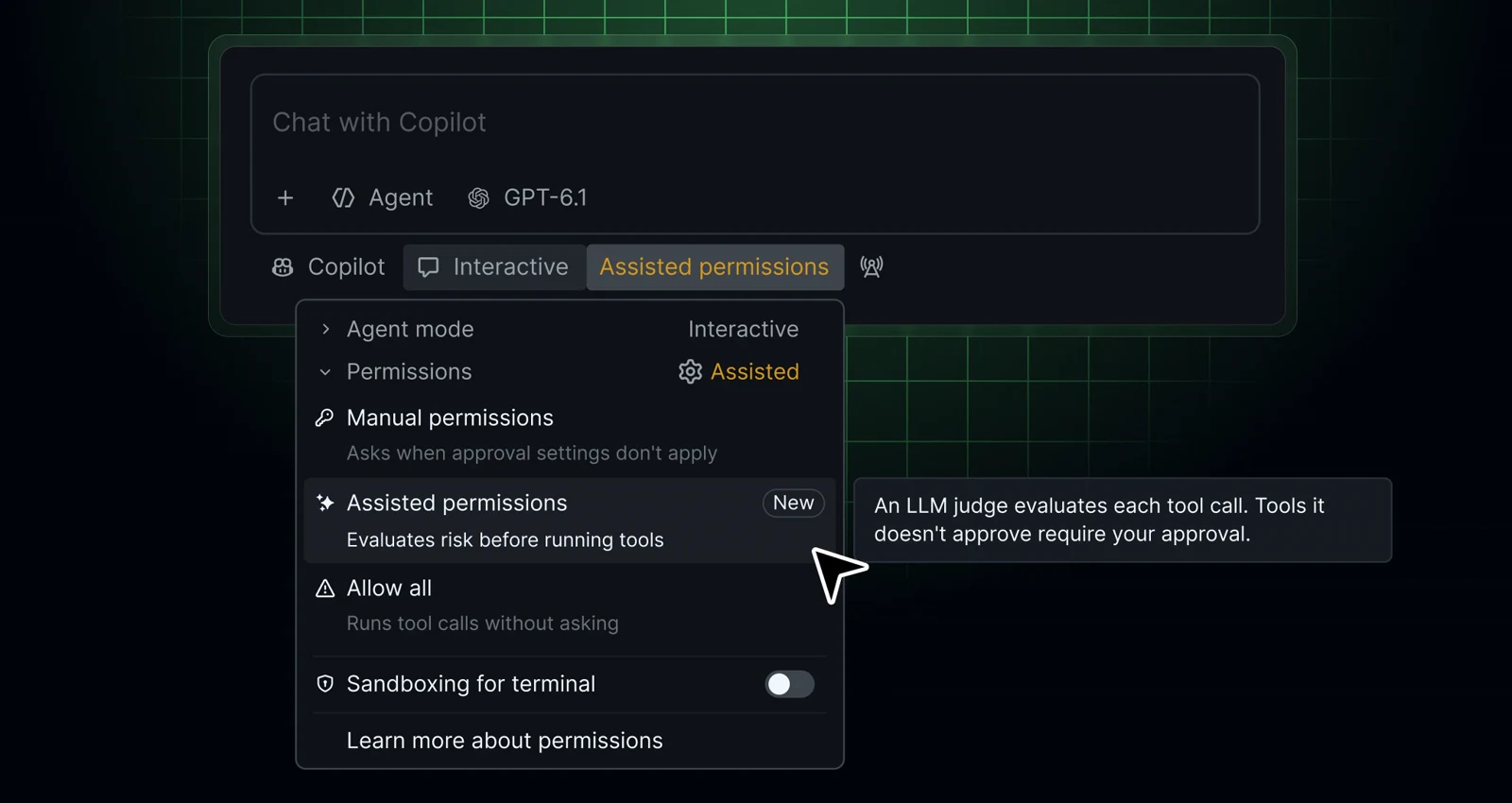
GitHub made assisted permissions generally available on October 26 in Copilot CLI, the Copilot app and Visual Studio Code. A language model evaluates eligible requests to execute commands, access paths or open URLs. Requests it classifies as safe can proceed automatically; other requests need approval. The change gives developers a way to delegate some decisions that would otherwise interrupt an agent's work.
Permission handling already includes narrower options. GitHub's CLI documentation says many read-only actions ordinarily proceed automatically, subject to policy, while developers can grant individual tools permission or explicitly deny them. Assisted permissions adds contextual assessment to that arrangement. Its value depends on which requests still need a decision, rather than simply how many commands an agent runs.
Session settings determine where it applies
In the CLI, developers can select the mode with /permissions assisted and inspect it with /permissions show. VS Code exposes it through the permissions picker; the Copilot app puts it under Tool permissions in the mode menu.
The app's menu selection also becomes the default for new local sessions, without changing other open sessions. Its controls are unavailable for cloud sessions, and remote-host support varies. GitHub also says the approval model can differ from the conversation model; a configured external model provider uses the session's active model for review.
Unattended work has a different stopping point
GitHub's automation guide describes using the CLI for scripts and continuous-integration jobs, including writing tests, fixing lint errors and explaining changes. Consider a hypothetical overnight lint repair: a predetermined tool allowlist may be difficult to specify if the agent needs to investigate unfamiliar project commands. The guide recommends considering assisted approval when those needs cannot be predicted. It does not establish that the repair will succeed.
For noninteractive runs, --assisted-approval enables the review. Requests still needing human approval are denied; a review explanation can help Copilot choose another approach. The flag is invalid when starting an interactive session.
There is a consequential configuration trap. Successful activation supersedes --allow-all-tools, but leaves --allow-all-paths and --allow-all-urls untouched. If policy prevents activation, the CLI warns and continues; a separately supplied --allow-all-tools can remain effective. Adding the new flag to an existing permissive script therefore does not, by itself, establish the intended restrictions.
Enterprise documentation leaves an approval question open
Administrators can prohibit blanket approval while leaving Assisted available, or disable Assisted separately. A managed default chooses the starting mode for new sessions, but developers may select another permitted mode. A prohibited or unavailable default falls back to manual approval.
The documents inspected on October 27 disagree on a material detail. The assisted-permissions guide says eligible CLI enterprise ask rules covering shell commands, file reads, writes and URLs can be satisfied by model approval. The general enterprise-settings reference describes ask rules as requiring fresh human approval and rejecting automatic-approval shortcuts.
We have not verified which behavior applies in a particular client. Teams requiring a person to authorize those operations cannot treat the word ask alone as proof of that guarantee. The discrepancy remains unresolved in this report.
Access and usage costs remain part of the decision
GitHub documents CLI access across all Copilot plans, with organization-provided access contingent on the organization's CLI policy. Supported systems include Linux, macOS and Windows through PowerShell or WSL. This establishes CLI eligibility, rather than identical access conditions for every Copilot interface.
The CLI consumes AI credits according to tokens processed and model choice. GitHub's pricing page describes plan-dependent allowances, pooled allowances for Business and Enterprise, and charges for additional usage beyond included amounts. Neither the announcement nor the reviewed feature guide establishes a separate assisted-permissions price. Fewer approval interruptions should not be read as free or unlimited agent execution.
Approval and isolation serve different purposes
GitHub's CLI guidance describes sandboxing as a way to constrain filesystem, network and system access. Tool controls can also remove capabilities from the model's available choices or explicitly deny particular operations. These restrictions remain relevant when another model handles approvals.
Our reading is that the release changes how developers delegate operational decisions. The practical distinction is between allowing an agent to proceed and limiting what it can reach once it does. The documented enterprise ambiguity and automation exceptions make that distinction consequential for real deployments.
Sources & method
AI-assisted reporting from GitHub's October 26 announcement and seven implementation and billing pages, with original analysis. These are vendor sources, not independent corroboration. We have not tested permission decisions, account access or billing.
- GitHub: GitHub Copilot assisted permissions generally availablePublished October 26, 2026
- GitHub Docs: Allowing safe commands to run without manual approvalAccessed October 27, 2026
- GitHub Docs: Enterprise managed settingsAccessed October 27, 2026
- GitHub Docs: Running GitHub Copilot CLI programmaticallyAccessed October 27, 2026
- GitHub Docs: Allowing and denying tool useAccessed October 27, 2026
- GitHub Docs: GitHub Copilot CLIAccessed October 27, 2026
- GitHub Docs: GitHub Copilot CLI programmatic referenceAccessed October 27, 2026
- GitHub Docs: Models and pricing for GitHub CopilotAccessed October 27, 2026
Source pages reviewed October 27, 2026. Analysis and suggested evaluation methods are AI Toolcast’s own.
This article contains no sponsored placement or affiliate links.
Found a possible error? How to report a correction.
Keep reading
GitHub combines Copilot and notifications in its Teams app
The consolidation comes with a November 16 retirement deadline. Sandbox requirements, thread capture and separate cloud charges make the migration more than an app rename.
Claude adds an Anthropic-managed Google Cloud option for agent tools
Anthropic's new access route brings Claude Platform features to Google Cloud customers. The implementation guides reveal separate account setup, regional pricing and agent controls behind the shared cloud bill.
Google releases Elephant-Goldfish plugin to review AI coding plans
Google's open-source plugin separates design conversations from fresh-context reviews. Its documentation reveals host-specific limits, human approval steps and the maintenance work behind reusable specifications.